Hide markups
Applies to:
- Revu 21
To hide one or more markups on your document, follow these steps:
-
Select one or more markups to hide.
-
Right-click a selected markup and select
 Hide. The markup is hidden from the document and the Markups List.
To hide all markups, select Hide Markups in the Markups List toolbar.
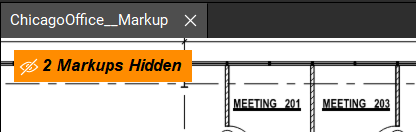
Hide Markups in the Markups List toolbar.A message is displayed indicating the document includes hidden markups. Hover over the message to temporarily see the hidden markups. To display the markups, select the message.
How-To
Revu 21
Markup
Learn how to hide individual markups on your PDF.