Place markups with Grids
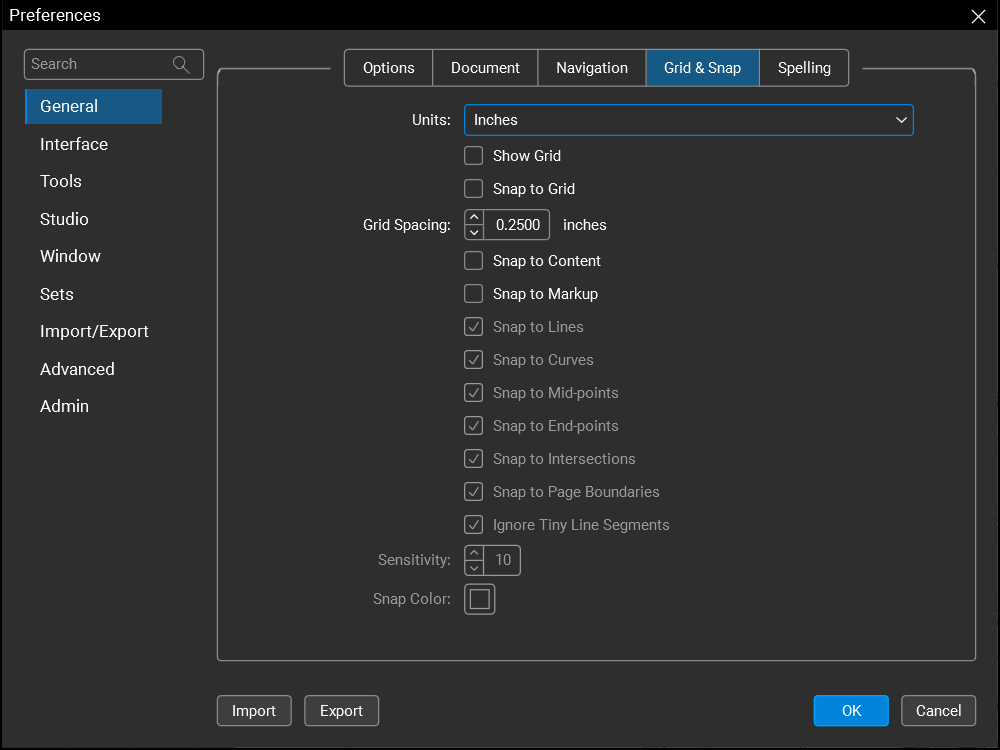
Grid and snap-to-grid functionality is included in Revu to aid in precise placement of markups. The Units and Grid options are available in the Grid & Snap Preferences. Toggle the grid on and off from the Status bar.
 View the grid
When the Grid is enabled, a dotted grid background appears on the page. This grid is a guide only and will not print. Select  Show Grid on the Status baror press SHIFT+G to enable it.

The grid can also be turned on and off from the Grid & Snap Preferences by selecting Show Grid.
Snap to the Grid
When Snap to Grid is enabled, markups will automatically snap to the nearest grid point. Select  Snap to Grid on the Status bar or press CTRL+SHIFT+F9 to enable it.
It can also be enabled in the Grid & Snap Preferences by selecting Snap to Grid.
To override Snap to Grid without turning it off, press and hold CTRL while placing the markup.