Manage offline licenses
Once you've generated and installed offline licenses, use the Offline Licenses tab in Org Admin to manage machines with offline licenses.
Update a contract
You can update the contract(s) for pending or authorized machines on the Offline Licenses tab.
-
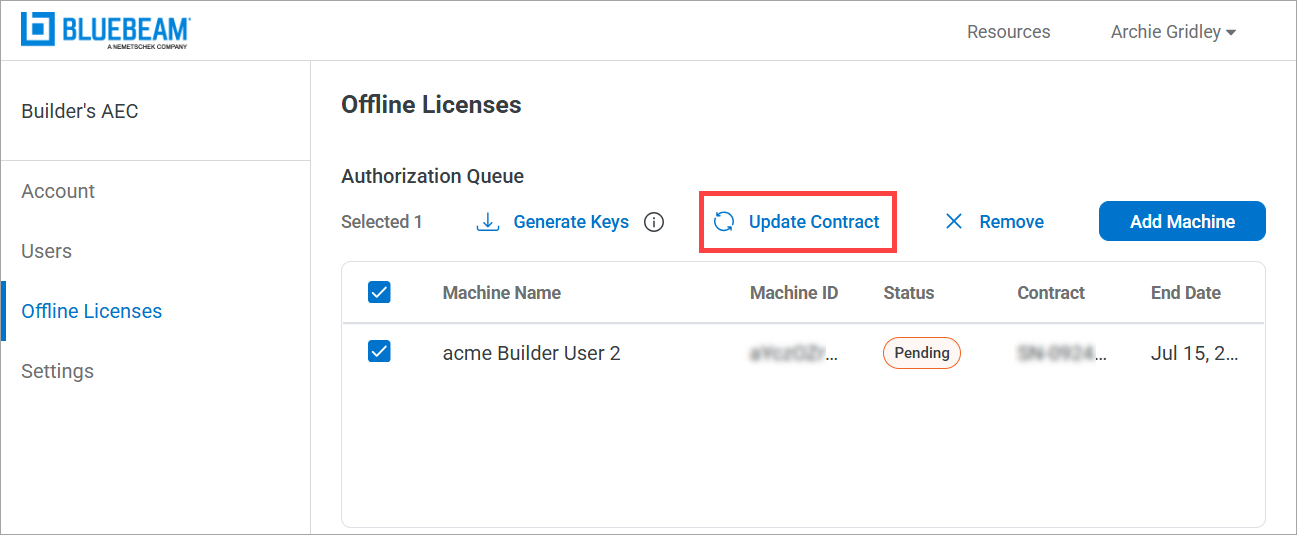
On the Offline Licenses tab, select the machine(s) from the Authorized Machines list, and select Update Contract.
-
From the Contract dropdown list, select the new serial number, and select Next.
-
Select Update.
Remove a machine
Machines can be deleted from the Offline Licenses tab if they are in the Authorization Queue and have a status of Pending. Offline licenses are non-transferable except for cases where an error was made during the initial license assignment. To remove or transfer a license that has already been generated for a contract, please contact Bluebeam.
To remove a machine, follow these steps:
-
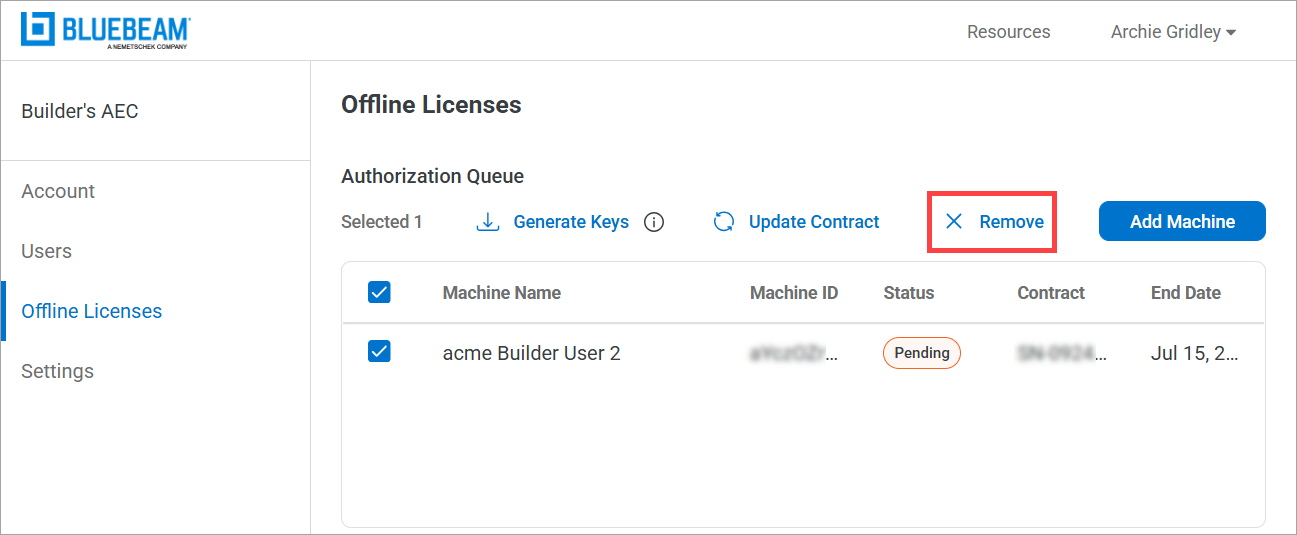
On the Offline Licenses tab, select the machine(s) to remove, and select Remove.
-
Select Remove to confirm.
Resources
Revu 21
Revu Offline
Revu Offline