Offset toolbar
The Offset toolbar contains properties you can adjust when creating an offset markup.
To access this toolbar, make sure the Properties toolbar is shown, and do one of the following:
-
Select a markup and press O.
-
Select a markup and go to Edit > Offset.
-
Right-click a tool in the Tool Chest and select Offset as.

Distance: The distance the offset markup will be from the original markup.
Replace Markup: If selected, deletes the original markup when the offset markup is placed.
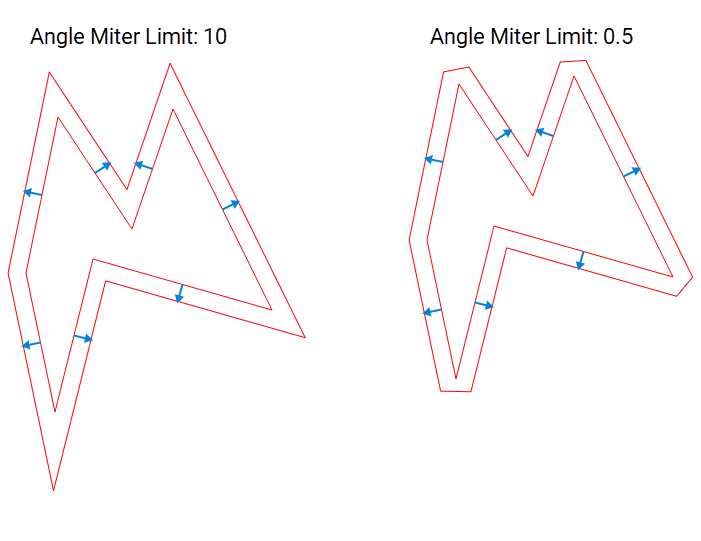
Angle Miter Limit: Controls how sharp points are in offset shape markups such as a polyline or polygon. The higher the number, the sharper the point.
Offset as: Select a markup type to use for the offset markup. This does not change the original markup.